
New Creative Resource Helps Teams Plan AI Video and Image Workflows More Effectively
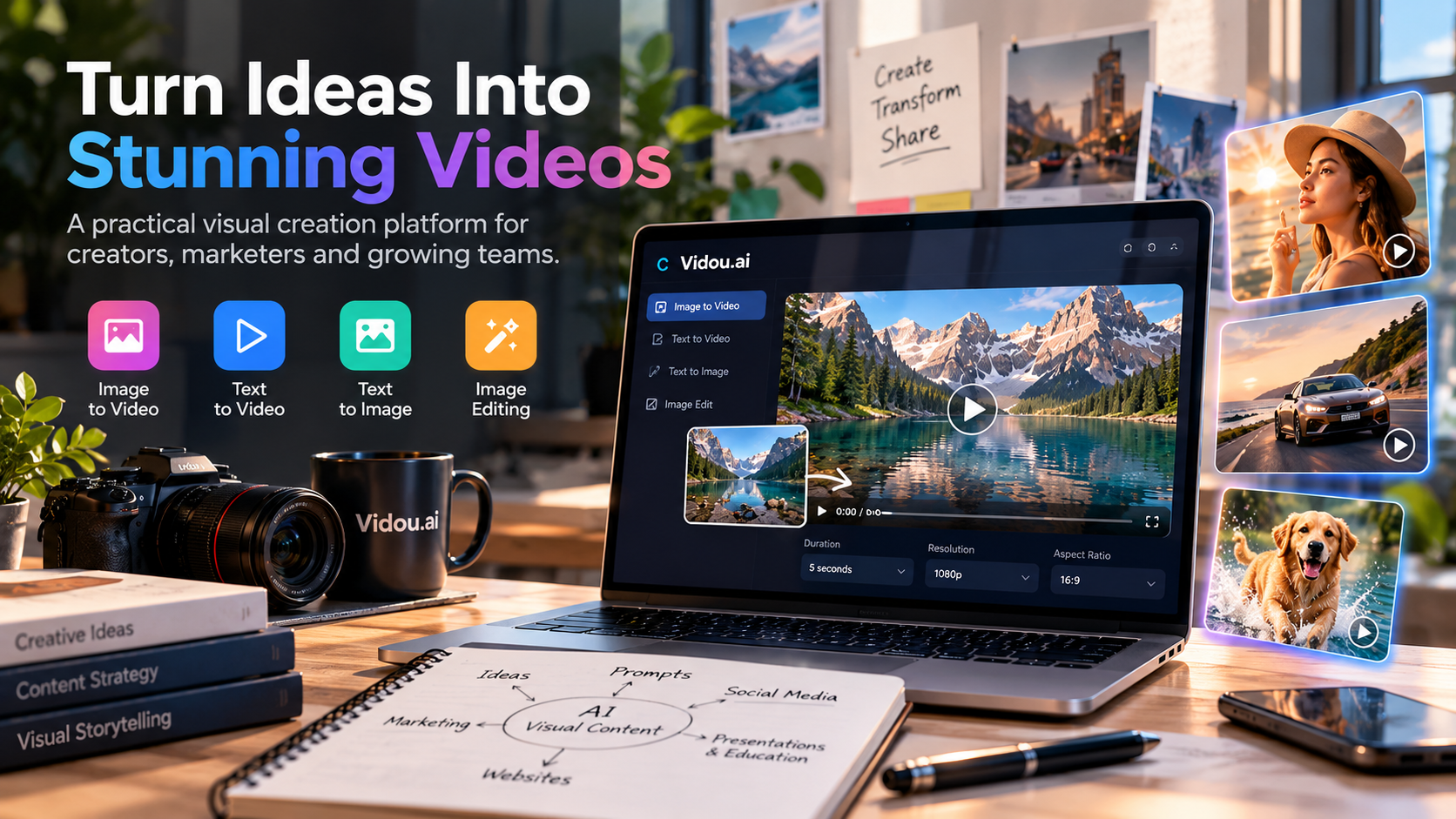
A practical planning approach helps creators and marketing teams connect visual ideas, production choices, and budget decisions before they generate content.
The growing use of AI video and image tools has created a new production question for creative teams: how do you turn fast experimentation into a workflow that is still organized, repeatable, and useful?
For many teams, the answer is not another layer of software. It is a clearer way to plan the work.
Vidou.ai is highlighting a practical approach that starts with the purpose of the asset, separates different creation tasks, and encourages users to review both creative requirements and current pricing before they begin a larger batch of work. The approach is relevant to solo creators, marketers, small businesses, design teams, and anyone testing visual concepts across multiple channels.
Instead of treating every request as the same kind of generation task, the workflow asks users to decide what they are making first: a short video from an existing image, a video from a written concept, a new image from text, or an edit to an existing visual.
That distinction helps teams choose the right starting point and avoid unnecessary trial and error.
A static product photo, a written campaign idea, and an existing social graphic may all need visual work, but they should not enter the same workflow.
Image-to-video is useful when the team already has a visual that communicates the subject, composition, and style. The main creative decision is what should change over time. A prompt can then focus on movement, pace, camera direction, and details that need to remain stable.
Text-to-video starts from a different place. The written description has to carry more of the scene because there is no source image defining the composition. Teams should be clear about the main subject, setting, action, and intended mood before generating.
Text-to-image is better suited to creating a visual concept from words, while image editing starts with an existing visual and a specific change the user wants to make.
Separating these jobs sounds simple, but it can make content planning much more efficient. It gives the team a clearer brief and makes it easier to judge whether the result actually solves the original need.
A strong workflow connects the asset to its destination from the beginning.
A vertical social clip may need a simple subject, immediate movement, and enough empty space for interface elements or captions. A website visual may benefit from slower motion and a composition that does not distract from surrounding copy. A presentation asset may need to communicate one idea clearly on a large screen.
These are not just format choices. They influence the source image, prompt, crop, pace, and level of detail that makes sense for the final output.
Planning for the destination also makes creative review more useful. Instead of asking whether a generated result “looks good,” the team can ask whether it works for the place where it will actually appear.
Prompt writing becomes easier when the creative brief is already clear.
For image-to-video work, teams can begin by identifying the one movement that matters most. That could be a slow camera push, gentle environmental movement, subtle product lighting, or a small character action. If an important detail must remain unchanged, such as a face, logo, product shape, or background element, it should be named directly.
The goal is not to write the longest possible prompt. It is to write one that makes the desired change easy to understand.
This matters when teams are producing multiple assets. A consistent brief makes it easier to compare versions and identify why one result works better than another. When too many variables change at once, learning from the output becomes difficult.
Creative teams often think about cost after an experiment has already expanded into several versions. A more practical approach is to review the current commercial options before deciding how many assets, variations, or tests to produce.
Teams planning regular visual production can review Vidou.ai pricing options for AI video and image creation before deciding how much experimentation their project may require.
The useful question is not simply “What does one generation cost?” The better question is “What level of experimentation does this project actually need?”
A one-off concept test and a campaign that requires several approved variations have different production needs. Teams can estimate the number of concepts they expect to explore, decide which assets deserve multiple versions, and reserve additional iterations for the ideas that show the most promise.
This keeps budget decisions connected to creative priorities instead of treating them as a separate administrative step.
A repeatable workflow benefits from small, controlled changes.
The first version should answer the main creative question. If the motion is too strong, the next prompt can reduce the pace. If the camera movement feels distracting, it can be removed or simplified. If an important product detail changes, the revision can add a direct instruction to preserve it.
Changing one thing at a time creates a clearer feedback loop. Teams can see what improved the result and carry that learning into future work.
This approach is especially useful when several people are involved. A marketer can explain the communication goal, a designer can evaluate the composition, and the person generating the asset can translate that feedback into a focused revision.
Fast generation can create pressure to publish quickly, but the review step remains essential.
Teams should inspect the complete output for visible errors, unintended changes, awkward movement, text distortion, product inconsistencies, and anything that could misrepresent the subject. Source rights, consent, and appropriate disclosure should also be considered before content is published.
For branded work, details deserve extra attention. A small change to a logo, package label, face, or product shape can matter more than a dramatic visual effect.
The same review should include channel fit. A clip that works well on a phone may not work as a website header. A visually dense image may be difficult to use in a presentation. A strong concept can still need a different crop or pace for a second channel.
Teams rarely struggle because they have too few ideas. The more common challenge is turning ideas into usable assets without losing track of purpose, cost, and quality.
A structured workflow creates useful boundaries. It defines the goal before generation, chooses the right tool for the task, gives the prompt a clear job, reviews the result against the brief, and makes budget decisions earlier.
That does not remove experimentation. It makes experimentation more intentional.
For creators and marketers producing content across social media, websites, campaigns, presentations, and product pages, that structure can help reduce unnecessary versions while preserving room to explore different directions.
Vidou.ai offers online tools for image-to-video, text-to-video, text-to-image, and image editing. Its visual creation workflow is built around plain-language prompts and user-selected creative inputs.
The broader planning approach is tool-agnostic in one important sense: good results still depend on clear objectives, suitable source material, focused instructions, careful review, and responsible use. Those habits remain valuable even as individual tools and pricing options change.
For teams evaluating where AI-generated video and image content fits into their work, the most useful first step may be the simplest one: define the job clearly, then choose the workflow that matches it.